


If you only intend to hold Bitcoin and have no plans to use other cryptocurrencies, the Bitcoin-only firmware is often the preferred choice among experienced Bitcoin users. This guide explains what it is, why many people choose it over the standard firmware and how to install it safely.
What is Trezor Bitcoin-only Firmware?
Trezor Bitcoin-only Firmware is a version of the system software designed exclusively for users who only want to store and manage Bitcoin. Instead of supporting thousands of different cryptocurrencies, it focuses entirely on the Bitcoin network.
Trezor currently offers two firmware variants:
- Standard firmware, which supports Bitcoin alongside thousands of other cryptocurrencies (including Ethereum, Litecoin, ERC-20 tokens, and many more); and
- Bitcoin-only firmware, which is designed exclusively for Bitcoin.
After installing the Bitcoin-only firmware, your Trezor hardware wallet can manage Bitcoin only. The user interface, updates, and features are all tailored specifically for Bitcoin users.
Because the firmware only needs to support Bitcoin, it contains less code than the standard version. A smaller codebase is generally easier to audit and may reduce the potential attack surface. For many Bitcoin users, however, the biggest advantage is simply a cleaner, more focused experience without features they will never use.
In practice, this means: no Ethereum, no tokens, no NFTs – just Bitcoin and a streamlined interface dedicated exclusively to securing your BTC.
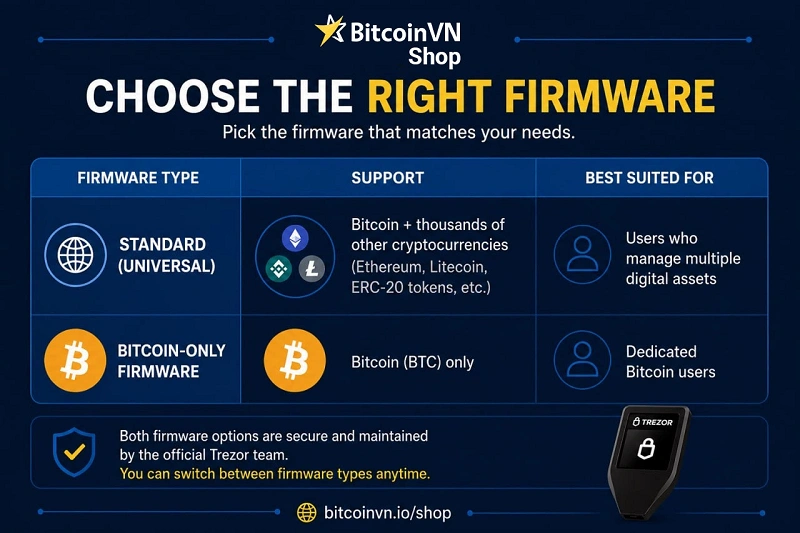
Important: Choosing the Bitcoin-only firmware does not mean the standard firmware is insecure. Both firmware versions are developed and maintained by Trezor to the same high security standards. The Bitcoin-only firmware is simply a popular choice among Bitcoin-focused users who appreciate its reduced feature set and dedicated focus.
Why choose the Bitcoin-only Firmware?
Reduced attack surface
Because the Bitcoin-only firmware only needs to support a single blockchain, it contains less code than the standard firmware. In software development, a smaller codebase is generally easier to review and audit, while reducing the number of components that could potentially contain bugs.
Although both firmware versions are developed to the same high security standards by Trezor, many experienced Bitcoin users prefer the Bitcoin-only firmware for its simplicity and reduced complexity.
A cleaner, more focused experience
The Bitcoin-only firmware removes support for Ethereum, ERC-20 tokens, NFTs, and thousands of other cryptocurrencies. As a result, every part of the user experience—from account management to transaction signing—is designed exclusively around Bitcoin.
If Bitcoin is the only asset you plan to hold, this streamlined approach eliminates unnecessary menus, options, and distractions.
Simplicity for long-term Bitcoin holders
Many people purchase a hardware wallet with one objective: storing Bitcoin securely for many years.
For these users, the Bitcoin-only firmware provides everything they need without additional features intended for managing multiple cryptocurrencies. The interface remains straightforward, making everyday tasks such as checking balances, receiving funds, and signing transactions easy to understand.
A favourite among Bitcoin enthusiasts
The Bitcoin-only firmware has become a popular choice within the Bitcoin community because it reflects Bitcoin’s “less is more” philosophy. Rather than trying to support every new blockchain or token, it focuses entirely on doing one thing well: protecting your Bitcoin.
For users who have no intention of owning altcoins, it is often considered the most natural choice.
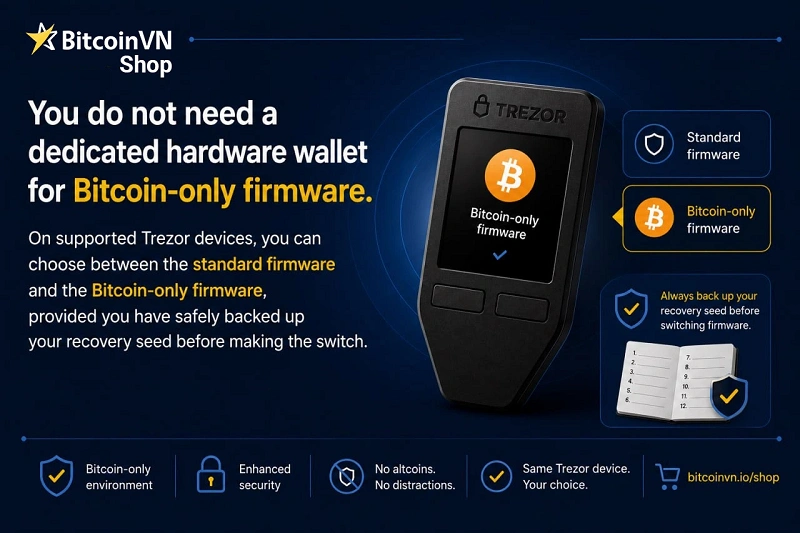
Is a separate device required for the Bitcoin-only firmware?
No. You do not need to purchase a separate Trezor device to use the Bitcoin-only firmware. The same hardware wallet can run either the standard firmware or the Bitcoin-only firmware, allowing you to choose the version that best suits your needs.
If you are currently using the standard firmware, you can switch to the Bitcoin-only version through Trezor Suite. Likewise, if your needs change in the future, you can reinstall the standard firmware at any time.
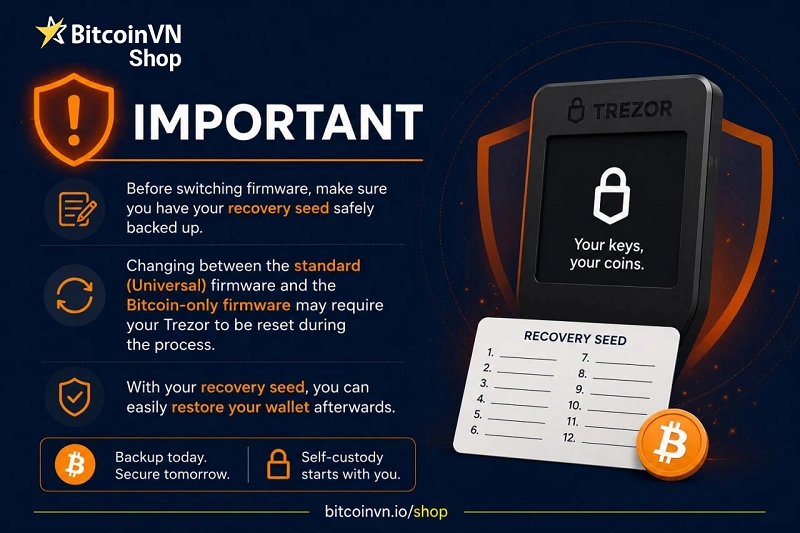
Before changing firmware, however, make sure your recovery seed backup is safely stored and accessible. Reinstalling firmware may require the device to be wiped and restored, and your recovery seed is what allows you to regain access to your Bitcoin.
Which Trezor models support Bitcoin-only firmware?
At the time of writing, Bitcoin-only firmware is available for the following main Trezor models, including:
Since supported models and installation procedures may evolve over time, it is always recommended to follow the latest instructions provided in Trezor Suite or on Trezor’s official website before switching firmware.
How to set up Bitcoin-only firmware on Trezor?
Follow these simple steps to install Bitcoin-only firmware and set up your Trezor.
Step 1: Install the Bitcoin-only firmware
Connect your Trezor to Trezor Suite. During the initial setup – or when reinstalling the firmware – select the Bitcoin-only firmware instead of the standard firmware and follow the on-screen instructions.
Step 2: Create a new wallet or recover an existing wallet
If you are a new user, select Create new wallet.
If you already have a previous Bitcoin wallet, select Recover wallet and enter your 12 or 24 recovery words.
Step 3: Securely record your recovery seed
Write it down on paper, or use a dedicated metal recovery backup.
Do not take photos of it, and do not save it on your phone, computer, Google Drive, or any cloud storage.
Keep it in a dry, safe place, out of sight from others.
Never share your recovery seed with anyone – including Trezor Support.
Optional advanced feature: Passphrase
Trezor also supports an optional passphrase feature, which can be used to create one or more separate “hidden wallets.” A passphrase provides an additional layer of protection on top of your recovery seed.
However, it must be used with great care. If you forget or lose your passphrase, the wallet protected by it cannot be recovered – even if you still have your recovery seed. The recovery seed alone is not sufficient to restore a passphrase-protected wallet.
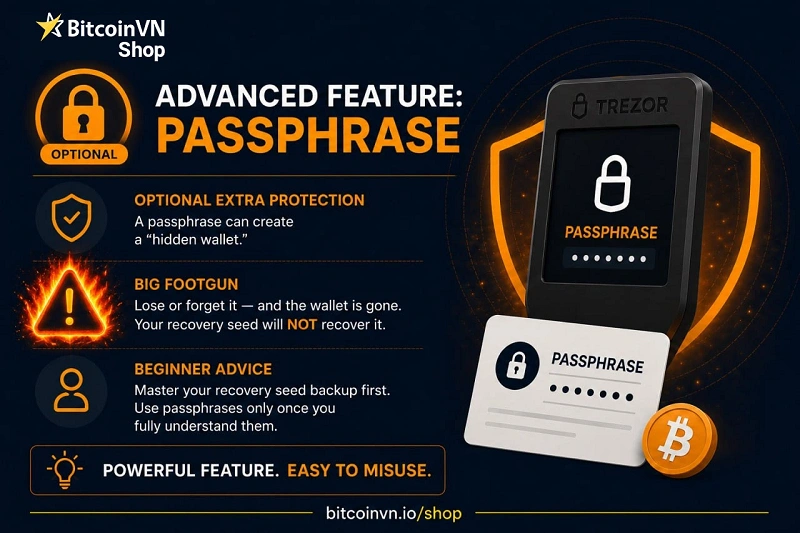
For this reason, we generally recommend that beginners first become comfortable with securely backing up and restoring their recovery seed before enabling the passphrase feature.
Step 4: Connect to Trezor Suite to manage your wallet
Here you can:
- view your BTC balance;
- send and receive Bitcoin;
- track your transaction history;
- install future firmware updates through Trezor Suite when available; and
- manage your Bitcoin through an interface dedicated exclusively to the Bitcoin network.
Note: Bitcoin-only firmware supports Bitcoin (BTC) only. Ethereum, tokens, NFTs, and other coins cannot be managed with this firmware.
Where to buy a genuine Trezor wallet in Vietnam?
Purchasing your hardware wallet from an authorized reseller is an important step in protecting your Bitcoin. Buying from an official source helps ensure your device is genuine, untampered with, and covered by the manufacturer’s warranty.
In Vietnam, BitcoinVN Shop is an official Trezor Authorized Reseller and is listed on Trezor’s official website.

When purchasing from BitcoinVN Shop, you receive:
- Genuine Trezor devices in their original sealed packaging.
- Fast domestic shipping without international customs procedures or import duties.
- Local customer support in both Vietnamese and English.
- Guidance with device setup, firmware installation, initialization, and updates.
- Warranty and after-sales support in accordance with Trezor’s official policies.
Conclusion
If you only hold Bitcoin and have no plans to use other cryptocurrencies, using a Trezor with Bitcoin-only firmware is a simple, focused, and highly secure choice. No separate device is needed, the setup process is straightforward, and the firmware is designed exclusively around protecting and managing your BTC.
Whether you choose the standard firmware or the Bitcoin-only firmware, the basics remain the same: understand your recovery seed, keep it offline, verify every transaction on your Trezor screen, and buy your device from a reliable source.
Get those fundamentals right, and Bitcoin-only firmware becomes what it is meant to be: a simple, focused setup for long-term Bitcoin self-custody.