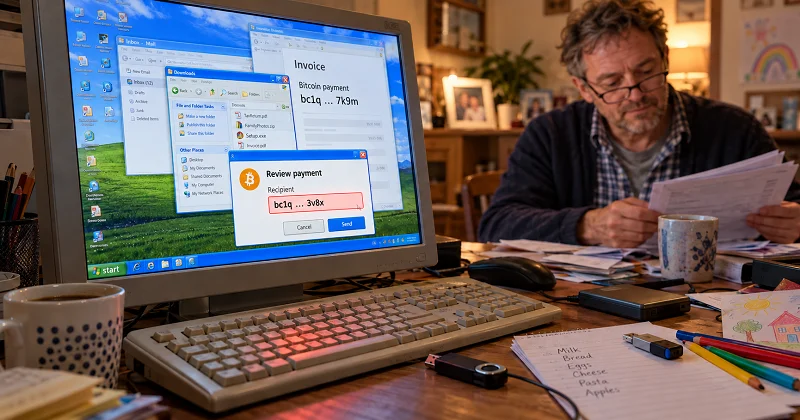
In June 2026, Microsoft detailed a Windows malware campaign that combined clipboard manipulation, theft of copied seed phrases and private keys, and remote access. Three months later, the case remains a useful illustration of how an infected everyday computer can put Bitcoin and other digital assets at risk.
The malware replaced copied payment addresses with attacker-controlled alternatives, captured screenshots, and communicated with its operators through Tor. It spread through malicious shortcuts disguised as ordinary files on USB drives.
Looking back at the campaign, the practical lesson is how these capabilities worked together: a compromised computer gave attackers several opportunities to intercept sensitive information or redirect a payment.
This article examines how the attack worked, which habits exposed users to it, and what Bitcoin and crypto holders can learn from the case.
Steal the keys – or change the destination
Attacks on Bitcoin and crypto users were well established long before Microsoft’s June report. The attraction for criminals is straightforward: compromising a wallet can provide direct access to funds.
There are two distinct routes. Stealing private keys or an exposed recovery phrase can allow an attacker to move funds themselves. Replacing a copied payment address takes a different approach: the owner authorises the transaction, but sends the money to the attacker.
That second route is particularly deceptive. The wallet may function exactly as intended, signing a valid transaction to the address supplied. The failure happens earlier, when the user trusts the destination shown on a compromised computer.
For Bitcoin, there is no central administrator who can cancel a confirmed payment or process a chargeback. This makes checking the destination before authorising a transfer a critical part of protecting your funds.
The increasingly sophisticated tactics criminals use to trick people out of their money are also why our team at BitcoinVN invested in Branta, which develops tools to help users verify payment destinations before sending funds.
What Is a Crypto Clipper?
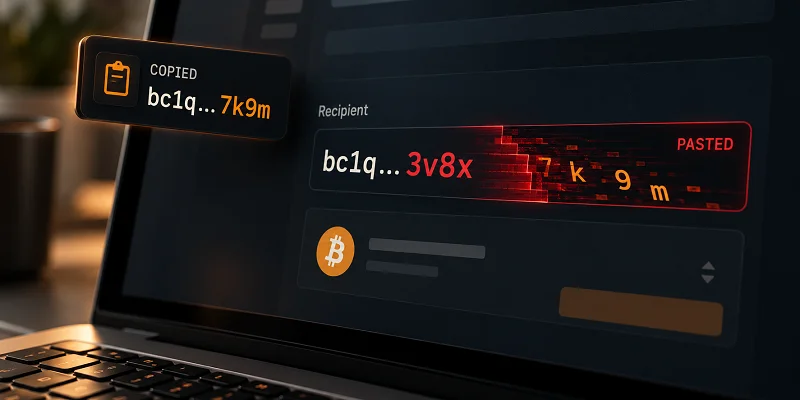
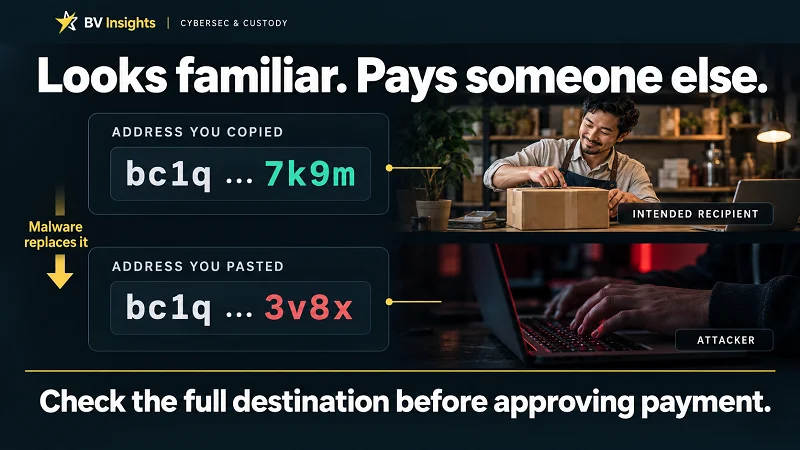
A crypto clipper is malware that monitors your clipboard – the temporary storage used when you copy text – and replaces cryptocurrency payment addresses with addresses controlled by an attacker.
The attack follows a simple sequence:
- You copy the intended recipient’s payment address.
- The malware recognises the cryptocurrency address format and replaces the copied address with one controlled by the attacker. The replacement may share some opening or ending characters with the original, making the substitution harder to spot.
- You paste the substituted address into your wallet.
- If you approve the payment without spotting the change, the funds go to the attacker.
Because cryptocurrency addresses are long strings of characters, the substitution can be easy to overlook. Recognising the address format or a few familiar characters is not enough to establish that the destination is correct.
Beyond address swaps: theft, persistence and remote access
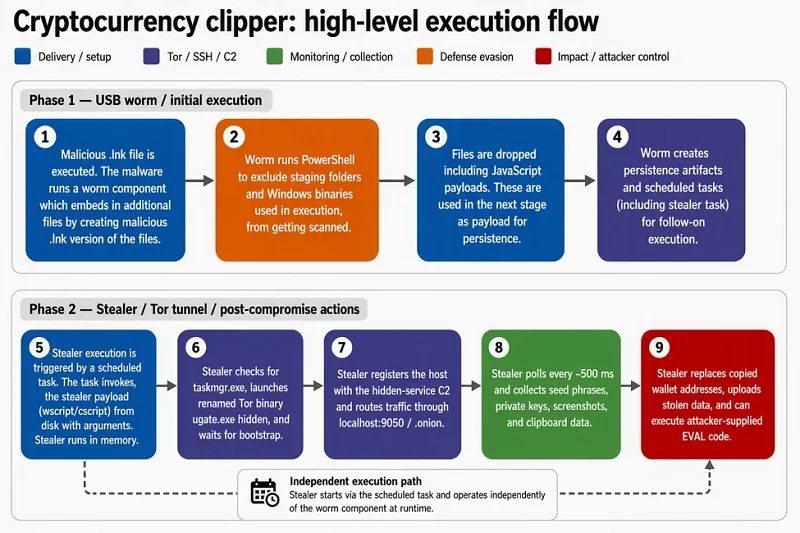
The malware documented in Microsoft’s June investigation combined address substitution with data theft and remote code execution, giving attackers several ways to exploit an infected computer.
Once installed, it could:
- Monitor and manipulate the clipboard: replace copied Bitcoin and other supported cryptocurrency addresses with attacker-controlled destinations.
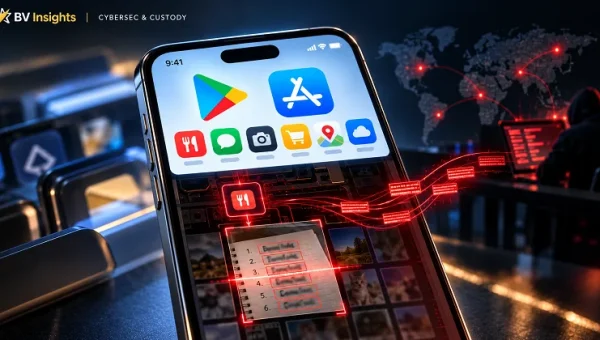
- Steal copied wallet secrets: capture 12-word and 24-word recovery phrases, along with supported private-key formats, when they appeared in the clipboard.
- Capture screenshots: reveal information about the user’s wallet activity and balances.
- Receive remote instructions: communicate through Tor and execute additional code supplied by its operators.
- Persist after a restart: use Windows scheduled tasks to run its malicious components again.
- Spread through USB drives: plant malicious shortcuts disguised as documents, which could infect another computer when someone opened them.
The practical implication is that catching an altered payment address does not resolve the underlying compromise. While the malware remains installed, later clipboard activity can expose more sensitive information, and attackers can retain the ability to run code on the computer.
How malware spreads through removable storage
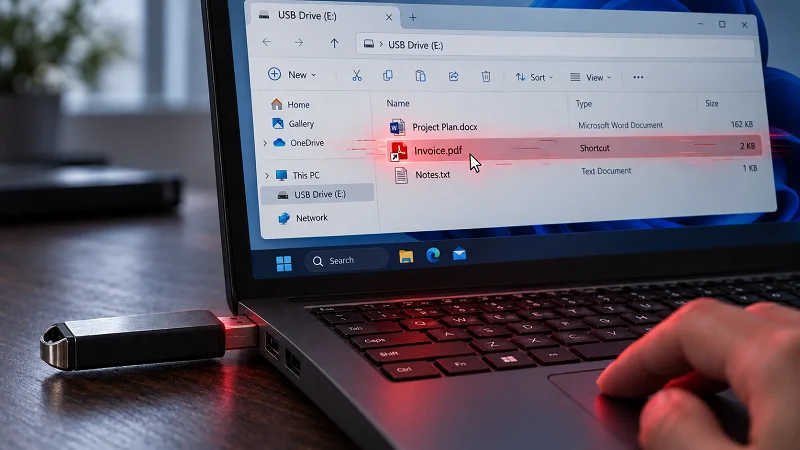
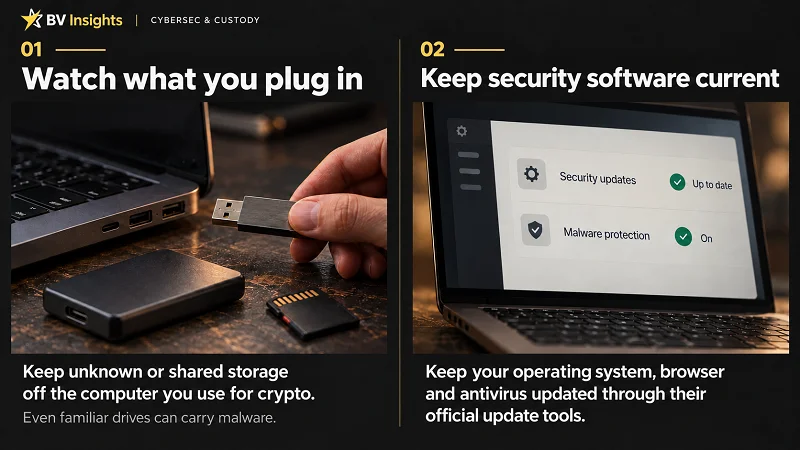
USB sticks, external hard drives and memory cards can carry malware between computers. In the CryptoBandits campaign Microsoft documented, infected USB storage devices carried malicious shortcuts disguised as ordinary documents.
Step 1: Hide the original files
The malware hides documents already stored on the drive, such as invoices, reports and spreadsheets.
Step 2: Replace them with lookalike shortcuts
Users see familiar filenames and document icons. These visible files are shortcuts that launch the malware.
When someone opens one, the shortcut runs the malicious program and then opens the original document. The document appearing as expected can leave the user unaware that malware has also started running.
Step 3: Keep spreading
Taking the infected drive to another Windows computer can repeat the process when someone opens a disguised shortcut. Once infected, that computer can contaminate further drives connected to it.
A routine file transfer can therefore compromise the same computer someone later uses to access their wallet or send a payment.
Are hardware wallet users safe?
The answer is yes, but not completely.
Hardware wallet devices such as:
keep your private keys isolated from your computer. However, you can still lose money if you approve a payment to an address substituted by malware.
On an infected computer, this can happen when:
- You copy the intended recipient’s payment address.
- The malware replaces it with an attacker-controlled address.
- You paste the substituted address into your wallet app.
- You approve the transaction on your hardware wallet without spotting the change.
Your private keys remain protected, but the payment goes to the attacker.
Before approving a payment, compare the full destination address on your hardware wallet’s screen with the address confirmed by the intended recipient. Simply matching it against the pasted address in your wallet app may miss the substitution. Check the amount too.
Keep your recovery phrase offline. If you copy it on an infected computer, malware can steal it without accessing the hardware wallet itself.
Signs that your device might be infected with malware
- The payment address you paste differs from the intended recipient’s address.
- Familiar documents on a USB stick, external drive or memory card unexpectedly appear as shortcuts.
- Original files seem to disappear while similarly named shortcuts remain.
- Your security software warns about clipboard hijacking, malicious shortcuts or other malware.
If you notice these signs, stop using that device to access wallets or send payments and get it checked for malware. Do not enter or copy recovery phrases or private keys on it.
Malware can also run without obvious symptoms, so the absence of these signs does not guarantee that your device is safe.
If you suspect an infection:
- Isolate the computer. Disconnect Wi-Fi and wired network connections.
- Set aside potentially infected storage. Unplug USB sticks, external drives and memory cards used with it. Do not connect them to other computers.
- Stop using the suspect computer for sensitive activity. Do not access wallets, enter passwords or handle recovery phrases and private keys.
- Get trusted technical help. Have the computer and removable storage assessed before reuse. A full operating-system reinstall may be needed.
If a recovery phrase or private key may have been exposed, act promptly: use a separate, clean device to move remaining funds to a secure wallet with a fresh recovery phrase. Do not wait for the infected computer to be repaired.
Conclusion
A hardware wallet is a prudent investment for most crypto users, as it closes off a major attack vector: malware stealing private keys from your everyday computer. The clean separation of keys and signing capabilities onto a dedicated device means an infected computer cannot simply hand those keys over to an attacker. That is a substantial improvement in security – but you still must remain vigilant each time you sign a transaction.
A hardware wallet can protect your private keys and still sign a payment to a thief. If malware substitutes the destination and you approve it, the device has done exactly what you instructed it to do.
Verify who you are paying before you authorise the transfer. Compare the full address on your hardware wallet with the address confirmed by the recipient through a trusted channel. Matching it against the pasted address on your computer is not enough: both screens could show the attacker’s destination.
Keep recovery phrases offline. If you suspect an infection, stop using that computer for sensitive activity and isolate it. Catching one altered address does not make the device safe.
Once a Bitcoin payment is confirmed, neither your wallet manufacturer nor an exchange can reverse it for you.
Need more hands-on security guidance?
While we provide plenty of practical cybersecurity advice on this site and our social media accounts, we understand that people with more at stake may prefer personal, hands-on guidance when reviewing their security practices and overall setup.
You can book a 1:1 assessment with one of our senior cybersecurity team members. We will work through your setup and circumstances with you, identify weak points, and help you address risks that could otherwise lead to a catastrophic loss of funds.
When a single signing key is no longer enough
A hardware wallet provides a substantial security improvement over keeping private keys on an everyday, internet-connected computer. But for Bitcoin holdings that constitute a significant part of your or your family’s life savings, we would not recommend relying on a single signing key alone.
At that point, you should seriously consider a multi-vendor multisig (MVMS) setup: independent keys held on devices from different manufacturers, with more than one key required to authorise a payment.
The additional protection requires careful planning around backups, recovery and everyday use. Our team can help you design and operate a setup suited to your circumstances, drawing on more than a decade of experience securing digital assets.
Further reading :