

Are you holding cryptocurrency on Binance and want to trade it on BitcoinVN? In this article, we will show you how to withdraw crypto from Binance to BitcoinVN. We will use Bitcoin (BTC) as an example in this guide.
Withdraw crypto from Binance to BitcoinVN on the website
Trading cryptocurrencies on BitcoinVN is possible without creating an account first. However, if you plan to withdraw crypto from another exchange and keep your coins on BitcoinVN, you’ll need to register an account.
To create an account, go to the BitcoinVN website and click the “Sign up” button. You can either use Telegram or your email address to create a BitcoinVN account.
If you want to transfer a total amount greater than 5 million VND, equivalent to approximately 220 USD, in one transaction, you will need to verify your BitcoinVN account.
Once your BitcoinVN account is verified, you will need to get your BitcoinVN wallet address. Please follow these steps:
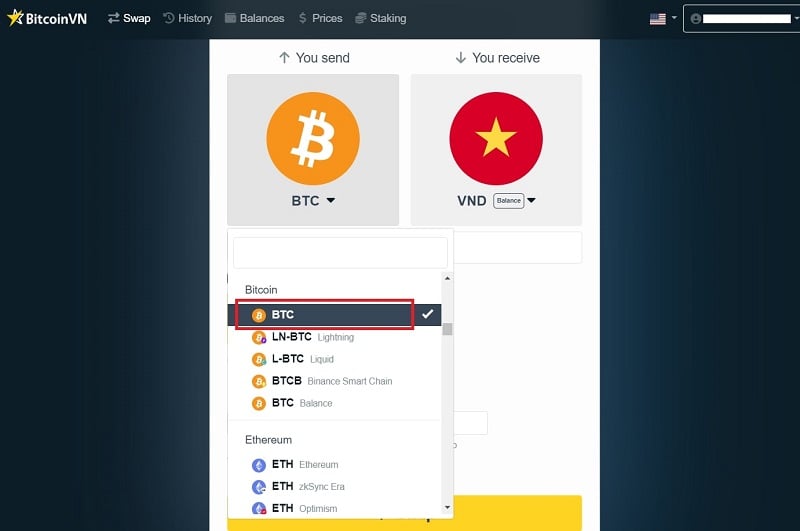
- Step 1: In the “You send” section, select BTC. You can select BTC on other blockchains, such as Binance and Lightning Network.
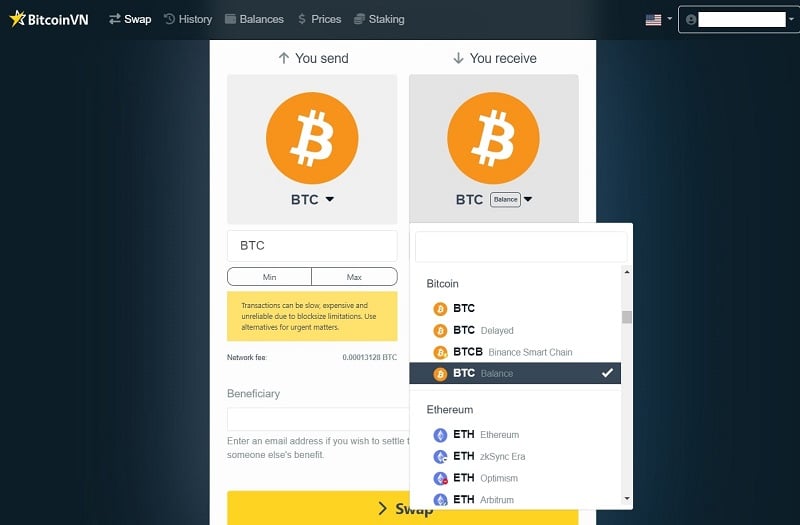
- Step 2: In the “You receive” section, select BTC Balance. At this step, make sure you select the same cryptocurrency as in the “You send” section and that the word “balance” is included. “Balance” means the sent coins will be kept in your account on the exchange, just like a bank account balance.
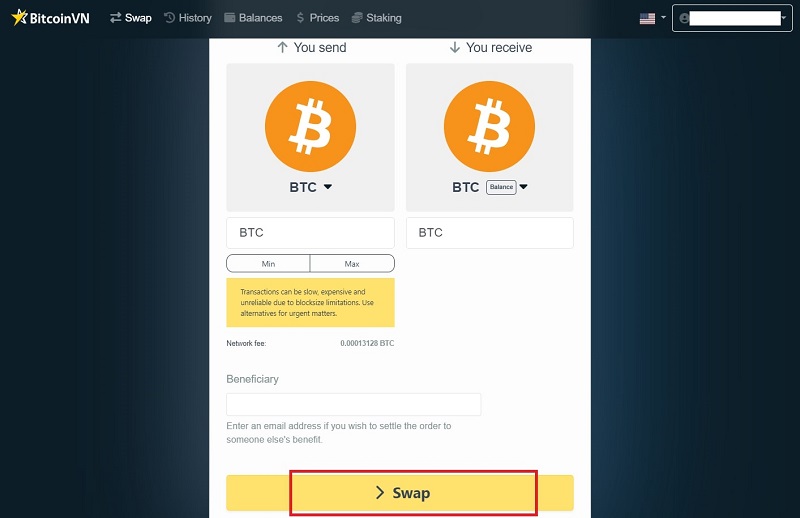
- Step 3: Click “Swap.”
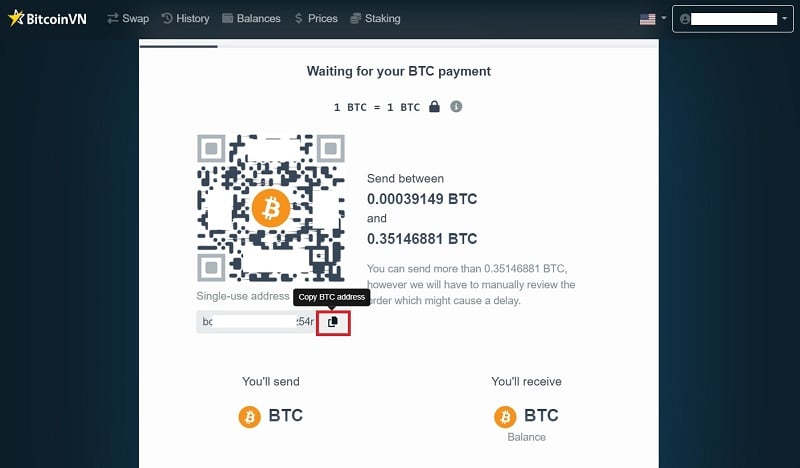
- Step 4: Click the copy icon to copy the BTC address.
Once you have obtained the BTC receiving address on BitcoinVN, please go to the Binance website and follow the steps below:
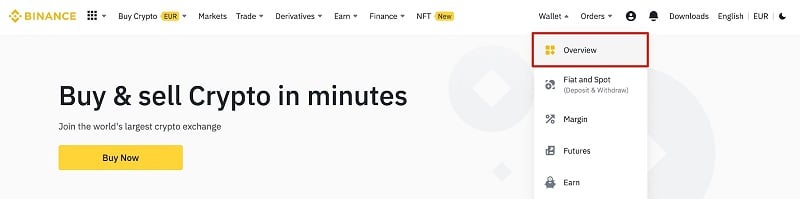
- Step 1: Hover over the wallet icon. Click “Overview”.
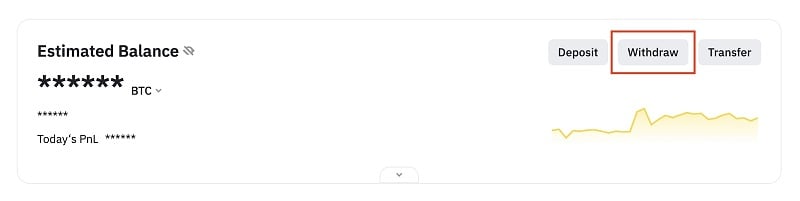
- Step 2: Click “Withdraw”.
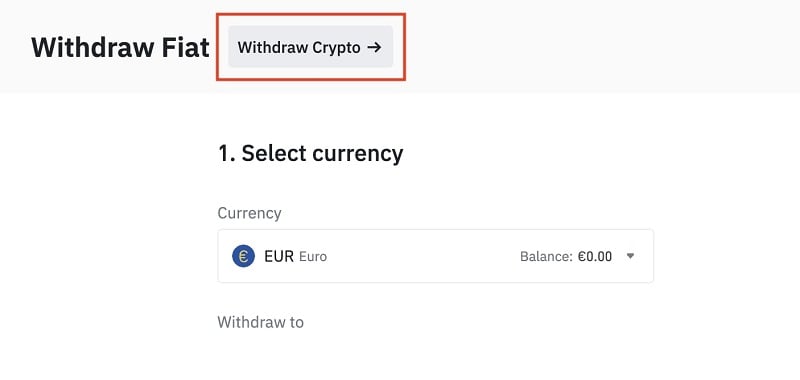
- Step 3: Click “Withdraw Crypto”.
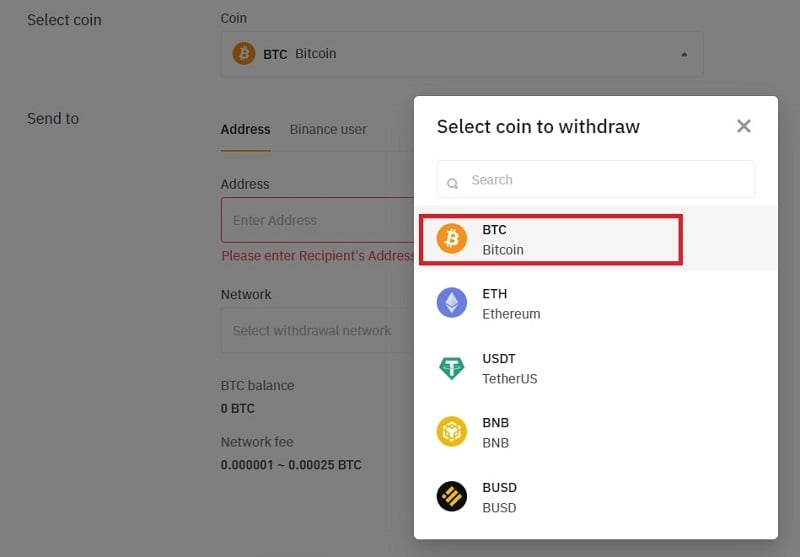
- Step 4: In the “Coin” section, select the cryptocurrency you want to withdraw; for example, select BTC.
- Step 5: In the “Address” section, enter the Bitcoin address that you copied from the BitcoinVN exchange. Then, in the “Amount” section, enter the Bitcoin amount you want to transfer. Finally, click “Withdraw” to proceed with the transfer.
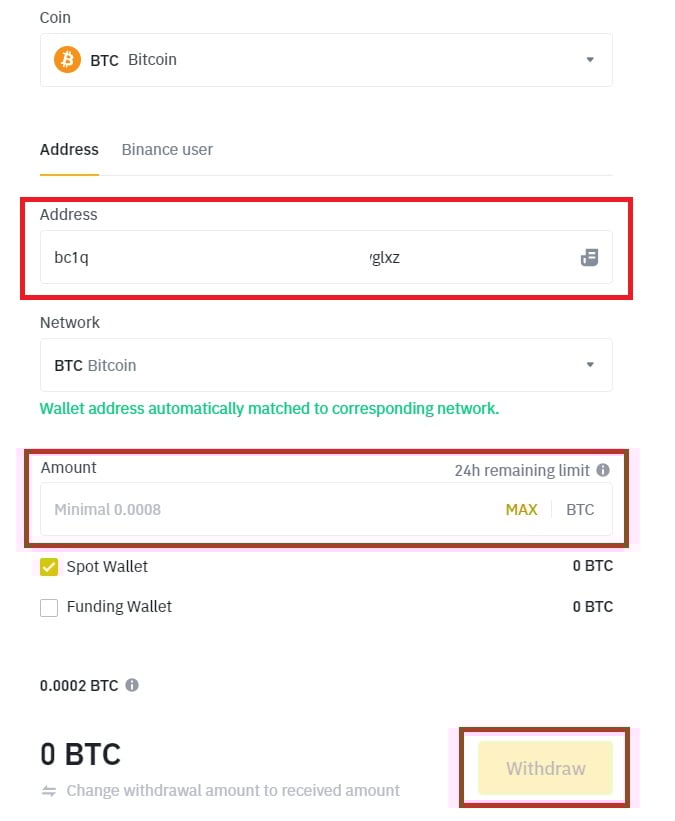
Note that the transaction fee will be deducted from the amount you send.
Withdraw crypto from Binance to BitcoinVN via the Binance app
In this section, we will begin the instructions after you have copied the Bitcoin address on BitcoinVN.
Open the Binance app and take the following steps:
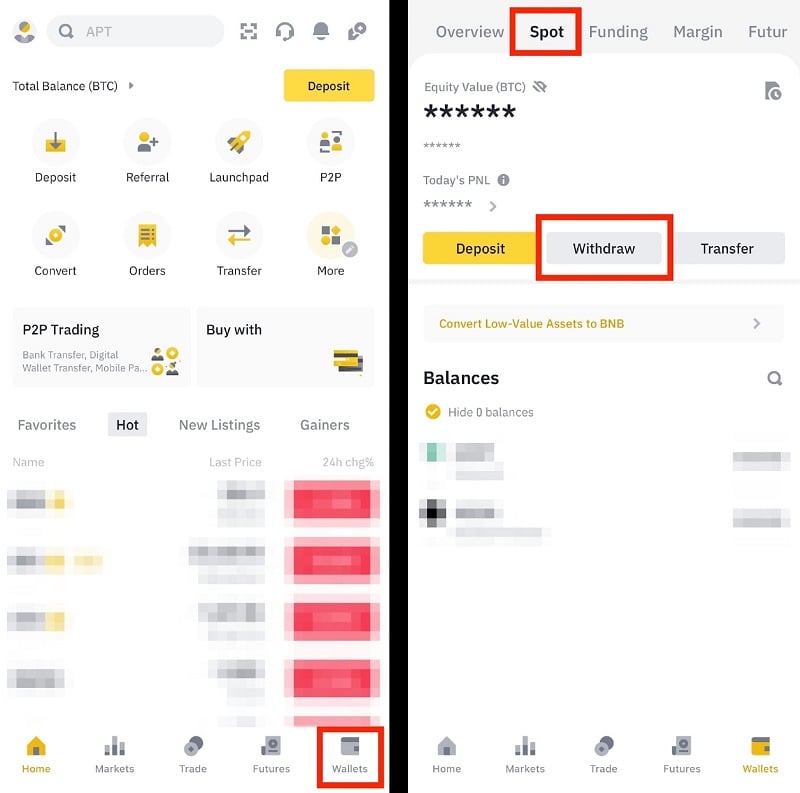
- Step 1: Click “Wallet” in the bottom right corner of the screen, then click “Spot,” and then click “Withdraw.”
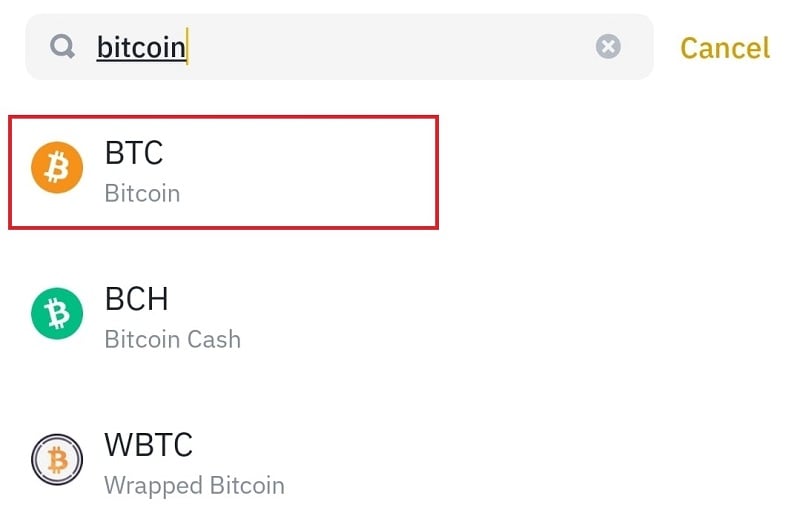
- Step 2: Search for the coin you want to withdraw; for example, search for Bitcoin and select BTC.
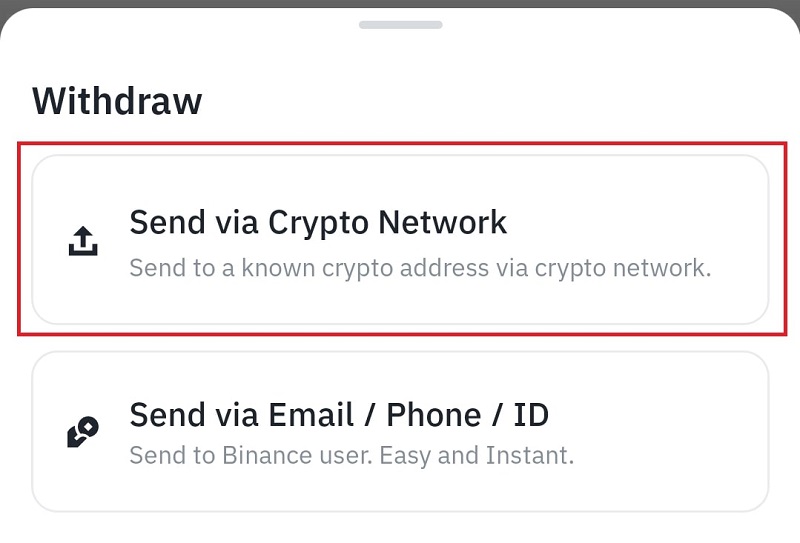
- Step 3: Select “Send via Crypto Network.”
- Step 4: In the “Address/Invoice” section, paste the Bitcoin address that you copied from the BitcoinVN exchange. Then, in the “Withdrawal amount” section, enter the Bitcoin amount you want to transfer. Finally, click “Withdraw” to proceed with the transfer.
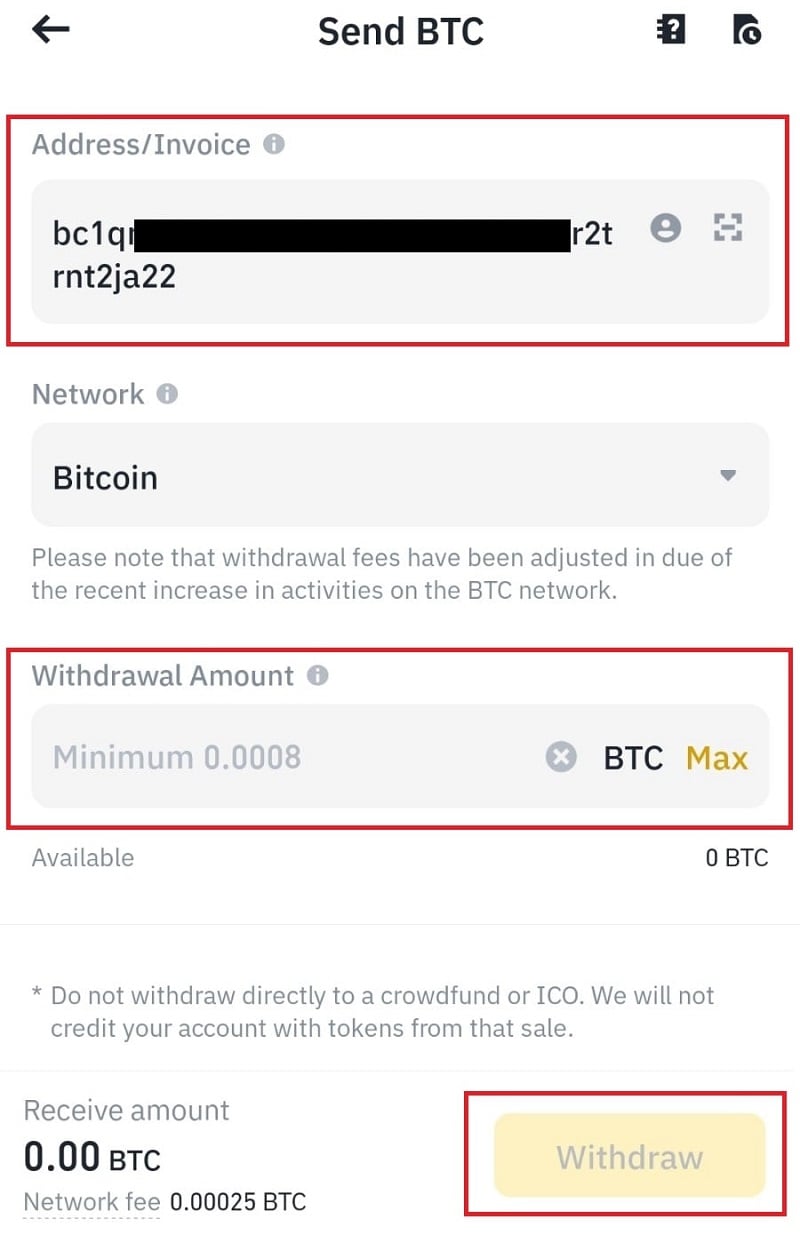
Note that the transaction fee will be deducted from the amount you send.
And that’s all you need to do to withdraw crypto from Binance to BitcoinVN. If you encounter any problems during the transfer or have any questions, please contact us via email at [email protected] for support.