
Creating a BitcoinVN account with Telegram is now possible. This article will guide you through the simple steps to create a BitcoinVN account with Telegram.
Create a BitcoinVN account with Telegram easily
- Step 1: Go to the BitcoinVN website: https://bitcoinvn.io/
- Step 2: Click “Sign Up”, located in the top-right corner.
- Step 3: Click “Login with Telegram” as shown below.
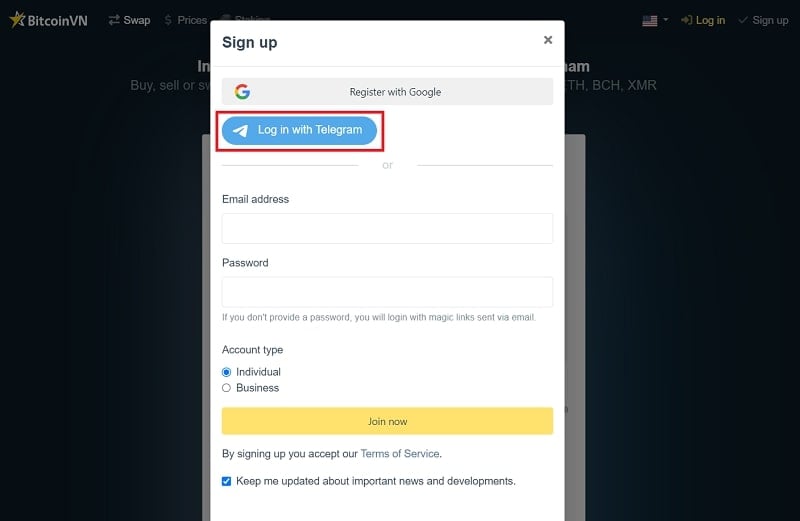
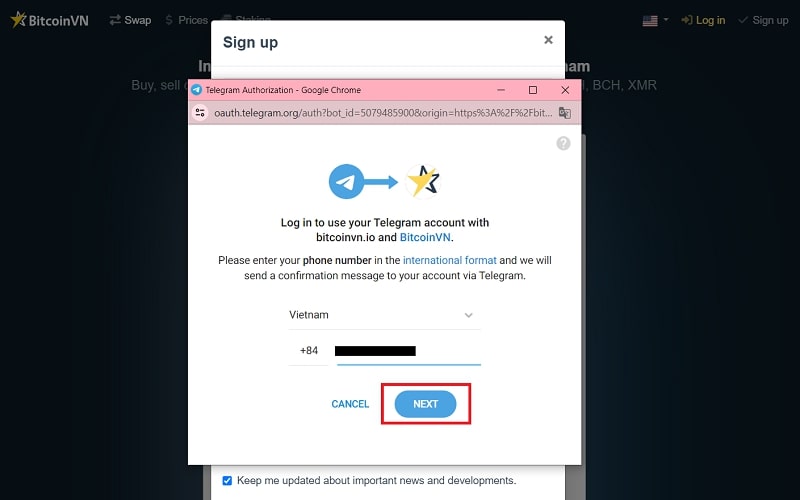
- Step 4: Enter the phone number you used to register your Telegram account, then click “Next”.
- Step 5: You will receive a notification message requesting that you log in through BitcoinVN. Click “Confirm”.
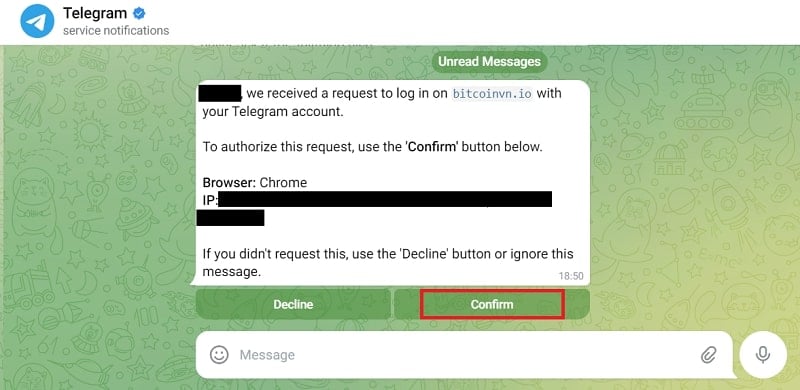
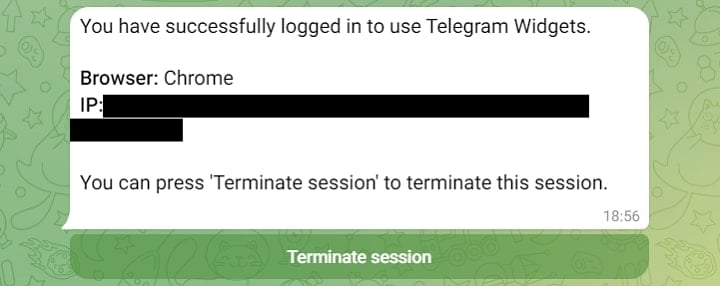
After clicking “Confirm”, you will receive a successful login notification, as shown below:
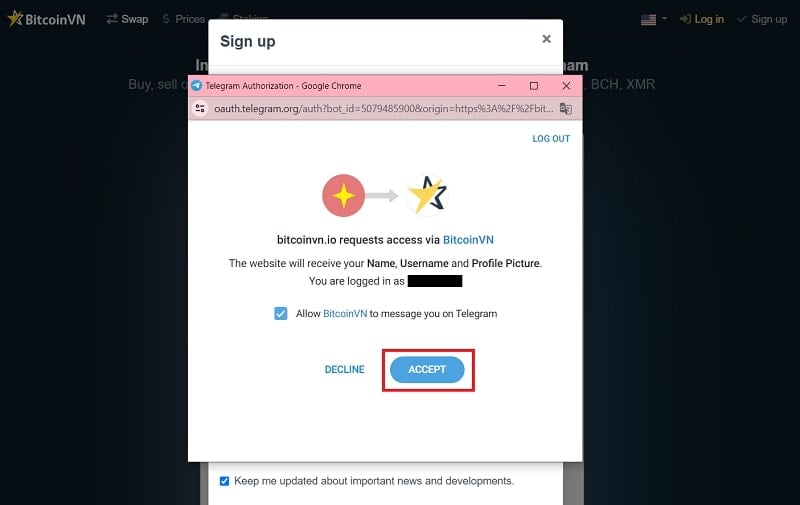
- Step 6: Finally, go back to the “Login via Telegram” tab and click “Accept”.
And that’s all you need to do to create a BitcoinVN account with Telegram.
In case you have any questions or encounter any difficulties when logging in, contact us via our Help Center for prompt assistance.